
How it works
From wall of text to first step in seconds
- 1
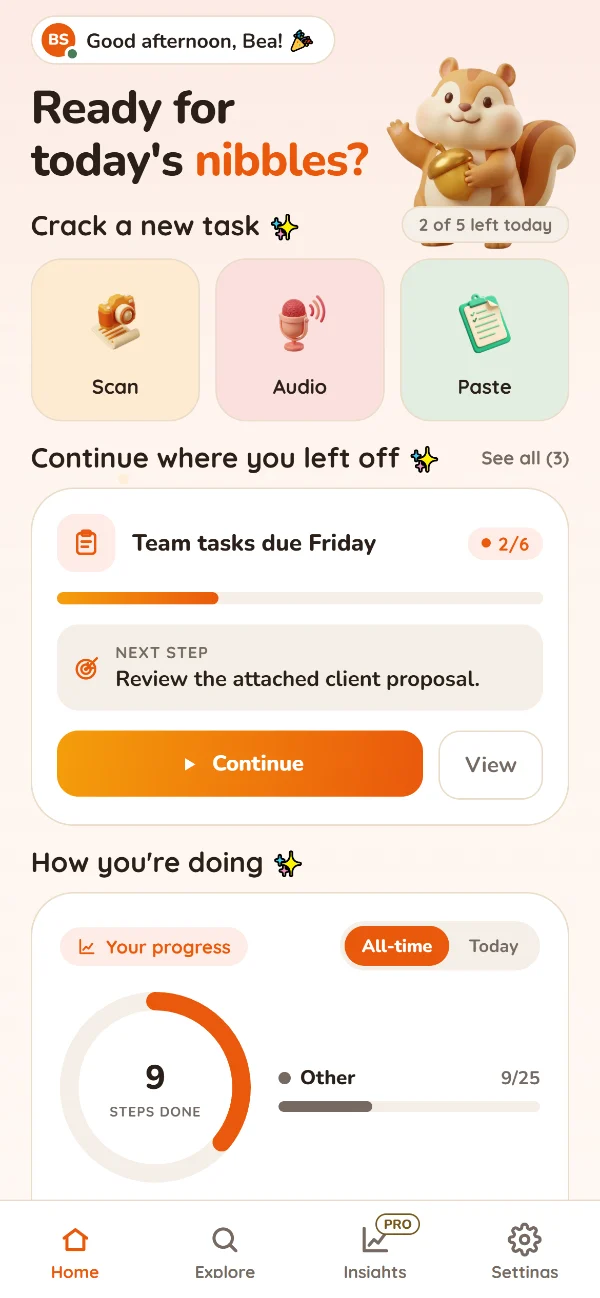
Capture it
Paste a message, scan a page or just say what’s on your mind.
- 2
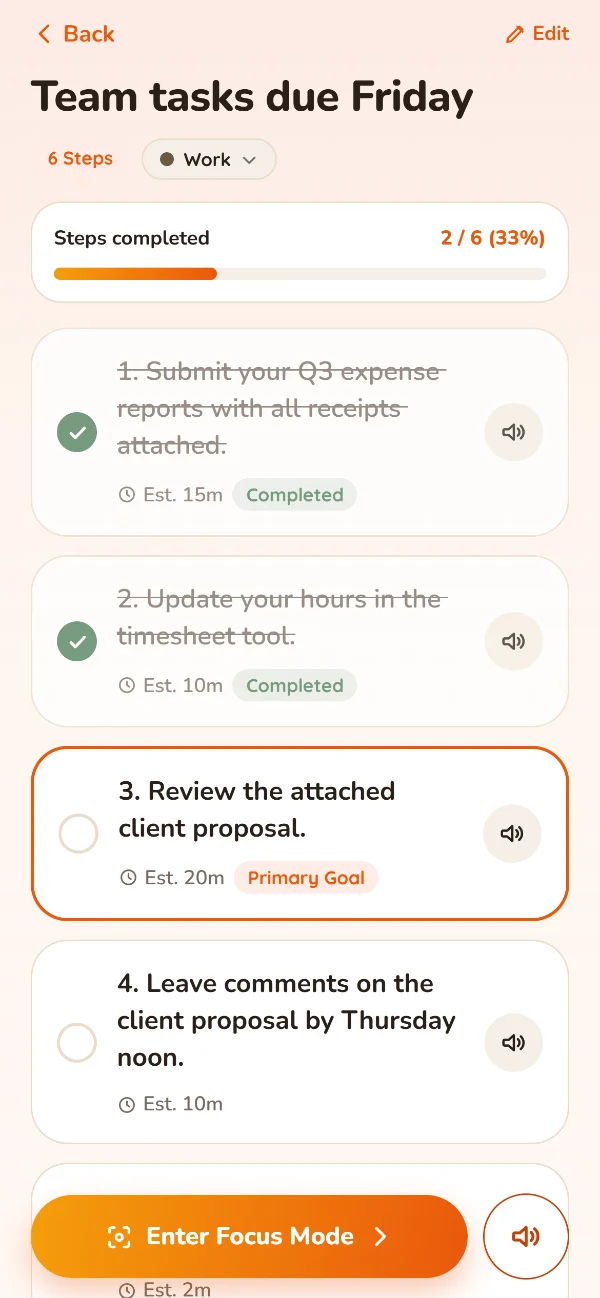
Crack it
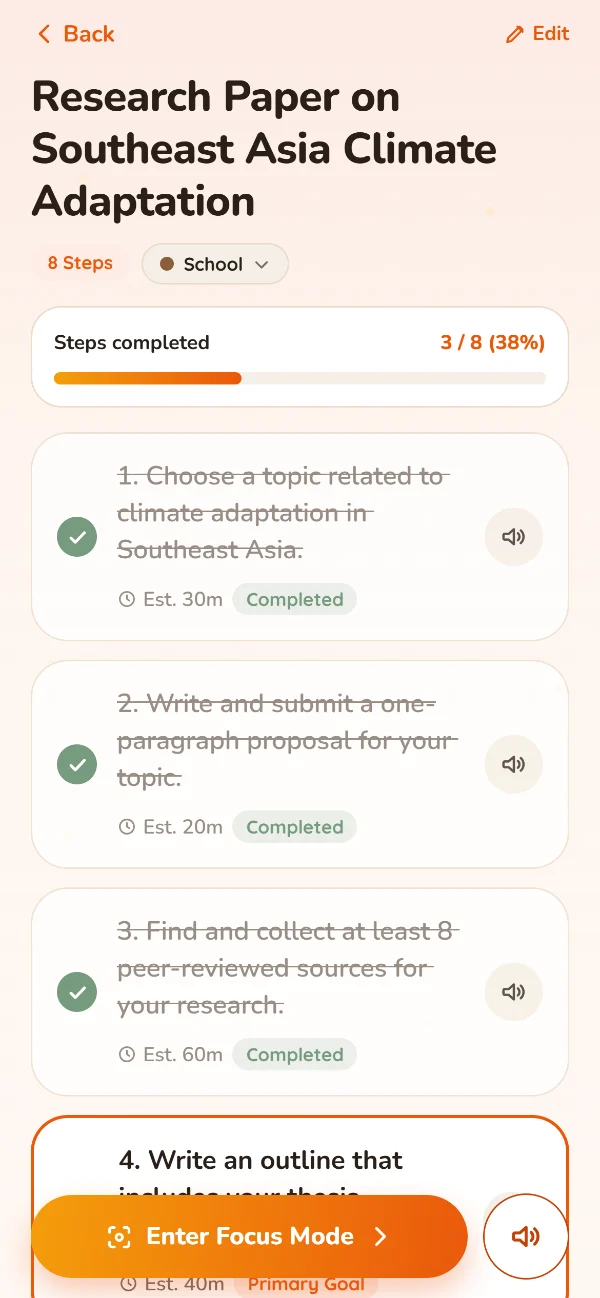
Get small, checkable steps with a time estimate for each one.
- 3
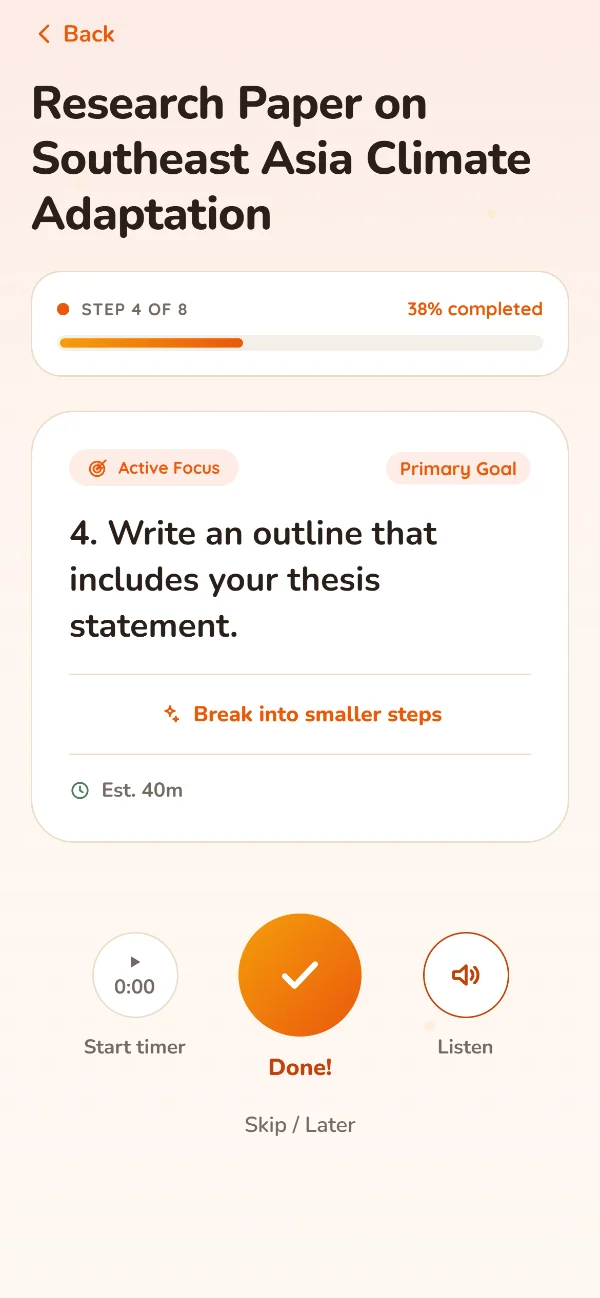
Do one thing
Focus Mode shows only the step you’re on. The rest can wait.
Three ways to crack a task
However it reaches you
Scan
Snap a printed or handwritten page, crop it, done.
Say it
Record a voice note and talk through everything on your mind.
Paste
Drop in that long email or group chat announcement.
Write, scan or speak in almost any language: English, Tagalog, Taglish, Cebuano, Spanish, Japanese, Korean, Chinese and more. Your steps come back in clear English.
Gentle on purpose
Progress, not pressure.
- No streaks to lose and no guilt messages.
- The focus timer only counts up. No “time’s up.”
- Insights only ever point up: your best time of day and where your energy goes.
- No account, no sign-up. Your tasks stay on your phone.
Pricing
Start free. Unlock Standard once, keep it for good.
Free
- 5 cracks a day
- Voice notes up to 2 minutes
- Focus Mode and badges
- Today’s progress
- Works offline, no account
Standard
- Unlimited cracks
- Voice notes up to 5 minutes
- Break any step into smaller steps
- Listen (read aloud)
- Full Insights: day, week and month
Standard is a one-time purchase through Google Play. No subscription, nothing renews. You’ll see the final price in the app before you buy, and you can restore it on a new phone.
FAQ
Questions
Is Chibbles only for people with ADHD?
No. It’s built for anyone who gets overwhelmed by long or dense tasks. Many people with ADHD find it helps them get started. Chibbles is a productivity tool, not a medical device.
Do I need an account?
No. There’s no sign-up and no password. Open the app and start. Your tasks are saved on your phone.
Is my data private?
Your tasks stay on your phone. What you crack is sent securely to be turned into steps, then discarded. We don’t store it, we don’t use it for ads, and we don’t sell your data. The privacy policy explains exactly what happens and who helps us process it.
What languages does it understand?
Almost any. Write, scan or speak in English, Tagalog, Taglish, Cebuano, Spanish, Japanese, Korean, Chinese and more. Your steps come back in clear English, and the original stays as you wrote or said it.
Is there an iPhone version?
Not yet. Chibbles is on Android first.
Does it work offline?
Yes. Your tasks are on your phone, so you can open them, tick steps and edit them with no internet. Cracking something new needs a connection; anything you capture offline waits on your phone until you’re back online.
How do I delete my data?
In the app, go to Settings → Profile → Erase Everything. Uninstalling also deletes it. See deleting your data.